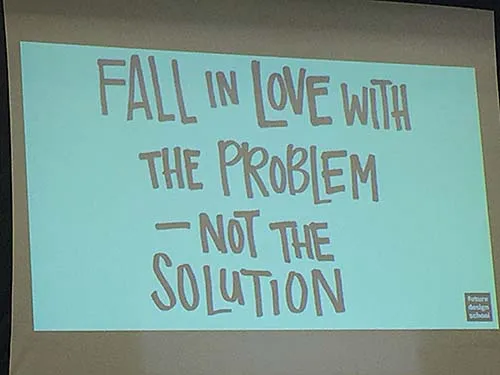
Interactive workshop with Google and Future Design School featuring hands-on usage of Emerging Technologies
Columbia students, faculty and administration worked as product managers for the day alongside a team of Google product designers. They were able to provide the Google team with invaluable input that will influence the future of these higher-education tools. This places Columbia at the forefront of ground-breaking technology that could change the course of teaching and learning.
Parixit discussed how ETC and Google came together to create this hands-on day of team-based learning. Marta (Google) outlined the day’s agenda and goals. Leslie from the Future Design School explained how the day’s activities would unfold. Google Solutions including: Google Cloud, Daydream, AR and VR, and Jamboard, a part of GSuite, were introduced with a pre-survey.
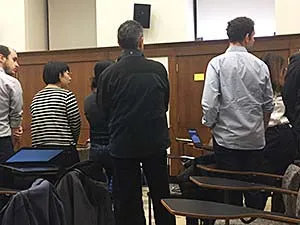
A day to try new things! Integrated demos showcased implementation in teaching and learning. Users tried Daydream headsets, discussed use cases for Google's higher education AR/VR pilot, met and discussed their impressions with Google's product team, offered feedback, and made suggestions potentially influencing product design.
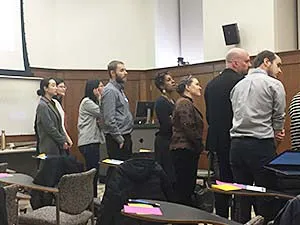
Team Up! Groups of five formed when attendees silently lined up, single file, in the room’s center. They counted off to form five groups where there was at least one student and one instructor in each—this was their team for the day.
Google Demos.
Emerging Technology leaders from the Future Design School in Canada and Google introduced many new possibilities in teaching and learning with AR/VR. Small, instructor-led groups used two mobile devices to try each activity.
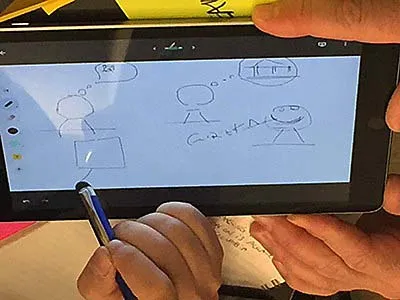
Demo #1: Jamboard: share ideas in real time and create without boundaries.
Jamboard is a collaborative, digital whiteboard which is part of the G Suite family and accessible with any Google login. This interactive whiteboard takes the screen sharing to the next level. Multiple jamboards can be in different locations and participants can see what other people are writing in real time. For a warmup and introduction, teams played a version of the 80's TV show "Win, Lose or Draw.” Each group was given two tablets. As one person was given a phrase to prompt their tablet-based drawing, other team members tried to guess the phrase while watching the drawing appear in real time on their own tablets.
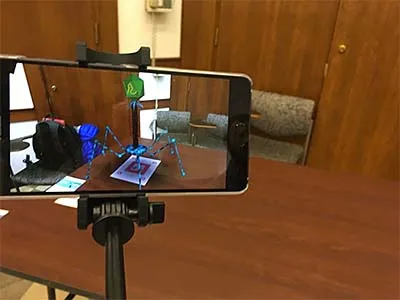
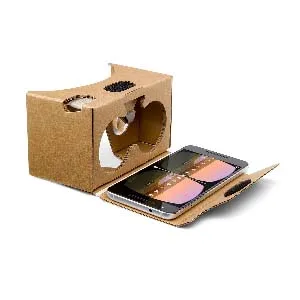
Demo #2: Google Expeditions AR.
Using the Expeditions app and a smart phone, groups viewed 3D objects, including bacteria and a virus, from every angle. The experience was immersive, engaging, and offered users a feeling of physical interaction with a virtual object.
Demo #4: Tour Builder.
Using storytelling with maps the team visited the site of Civil War reenactments in Antietam. Tour Builder illustrated the various ways to show students locations and experiences through 360 still photos. Tour Builder allows users to add photos, text, and other enhancements to bring history to life.
The conversation concluded by asking, “What could we do right away beginning on Monday using these tools?”
Other questions included: What is the current actual learning experience like? How might we leverage AR/VR to create a learning experience that utilizes tenet of exceptional learning and meets (perhaps unmet) student needs?
How do we prepare our students for tomorrow?
Future Design School employs a design/innovation framework and process to approach problems while incorporating new technologies into potential solution prototypes.
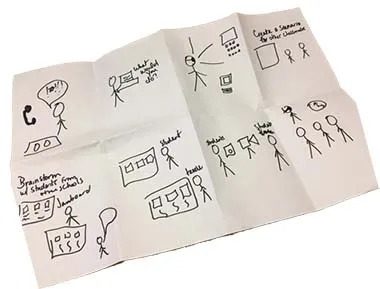
Demo #5: Crazy 8’s game.
Every person was given one blank sheet of legal sized paper. Individuals were asked to solve the group's "how might we?" question and pitch the best ideas to teammates. The blank paper was folded 3 times to create 8 equal sections. Each participant drew 8 separate ideas for potential solutions. This was done “brainstorm style”—Sharpies only! There was no erasing or striving for perfection. Participants were allotted 40 seconds per box to draw each idea. Teammates used a shared Google slide deck, created in advance, to develop and explain their ideas to each other. The groups discussed which ideas they liked the best and why.
After choosing the best solution, every group shared with the entire forum.